Please use a larger screen
This presentation is designed for desktop or projector displays.
← Back to curriculum
|
Python Object Oriented Programming
Libraries & Frameworks
Course 11
Library
"You call the code"
numpy · pandas · requests
matplotlib · datetime
a toolbox you reach into
vs.
Framework
"The code calls you"
django · flask · fastapi
pytest · sqlalchemy
a skeleton you fill in
← → to navigate
Course Curriculum
Where we are in the journey
0. Introduction to the course
1. Classes vs. Objects
2. Encapsulation & Access Control
3. Inheritance
4. Polymorphism & PEP 8
5. Composition & Aggregation
6. Exception Handling & Logging
7. SOLID Principles
8. UML & Design Patterns
9. Unit Testing & TDD
10. Design Patterns (2nd part)
11. Libraries & Frameworks
12. Recap & Consultation
Quiz Time! (Lecture 10)
Which design pattern does this code demonstrate?
def log_calls (func):
def wrapper (*args, **kwargs):
print (f"calling {func.__name__}" )
return func (*args, **kwargs)
return wrapper
@log_calls
def save (data):
...Decorator wraps a function to add behavior without modifying it . Python's @ syntax is sugar over save = log_calls(save).
Recap: Lecture 10
Design Patterns: Decorator
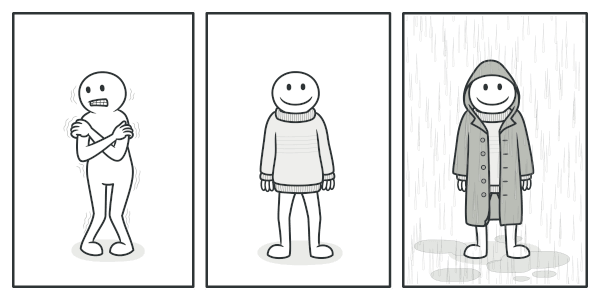
🧣 Wrap an object to add behavior — without changing it
🔁 Stack multiple decorators — like layers of clothing
🎯 Python sugar: @decorator above a function
📑 Use it for logging, auth, caching, retries, timing…
Quiz Time! (Lecture 09)
What is the purpose of Mock() in this test?
from unittest.mock import Mock
db = Mock ()
db.fetch.return_value = {"id" : 1 , "name" : "Alice" }
service = UserService (db)
user = service.get_user (1 )
db.fetch.assert_called_once_with (1 )
A) To speed up tests by parallelization
B) Replace a real dependency with a controllable fake
C) Generate random test data automatically
D) Save real database calls to disk
Mocks isolate the unit under test : no real DB, no real network, no real file. You can program return values and verify how the dependency was called.
Recap: Lecture 09
Unit Testing: Mocks & Fixtures
🏭 Unit tests focus on one class — isolate everything else
🧨 Mock replaces real dependencies (DB, API, time) with fakes
📝 @pytest.fixture — reusable setup, runs per test
✅ AAA: Arrange — Act — Assert
@pytest.fixture
def empty_account ():
return Account ()
def test_deposit (empty_account):
empty_account.deposit (100 )
assert empty_account.balance == 100
Quiz Time! (Lecture 08)
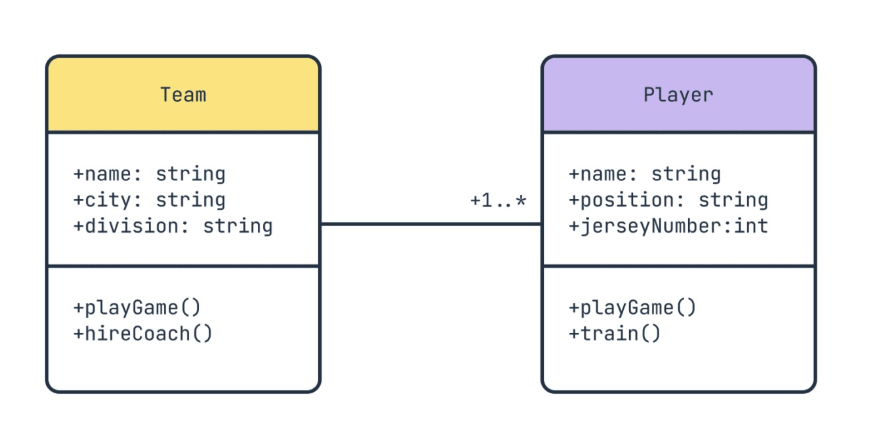
In a UML diagram, what does the multiplicity 1..* mean?
B) Zero or one (optional)
C) One or more (at least one)
D) Any number, including zero
Cheat sheet: 1 = exactly one · 0..1 = optional · 1..* = one or more · * = any number, zero allowed.
Recap: Lecture 08
UML Multiplicity
How many instances of one class relate to another
Common notations:
1 — exactly one0..1 — zero or one1..* — one or more* — zero or moren..m — specific range
Agenda for Today
📚 Libraries — what they are, how to use them
📊 A tour of Python's most-loved libraries :
🔥 numpy · pandas · matplotlib · requests
⏱️ datetime · unittest / pytest
🏭 Frameworks — the Hollywood principle
🌏 Django — batteries-included web framework
⚡ Flask — the microframework
🚀 Python at scale — Instagram, Netflix, Spotify, NASA
Section 1
Libraries
"A bag of useful tools you reach into when you need them."
What is a Library ?
A library is a set of related, low-level components that developers invoke to achieve a specific outcome.
Common library tasks:
📅 Date & time formatting
🌐 Establishing network connections
📁 File processing & I/O
📊 Data analysis & visualization
🔒 Cryptography, parsing, math…
your_app.py
import
requests
import
pandas
as
pd
data = pd.
read_csv
(...)
r = requests.
get
(url)
YOU decide what to call
and when
How to use a library
1. 📦 Install — download it once
pip install pandas — that's all you need to get started.
2. 📥 Import — bring it into your namespace
Whole module, single function, or with an alias: import pandas as pd
3. 📖 Read the docs & use it
Every library has docs with parameters, return values, examples. Bookmark them — then call its functions and classes like your own code.
Python's Ecosystem
Data & Science
numpy · pandas · scipy
matplotlib · seaborn
scikit-learn · pytorch
Web & Network
requests · httpx
beautifulsoup · lxml
websockets · aiohttp
Tooling
pytest · unittest
black · ruff · mypy
logging · datetime
🔥 500,000+ packages on PyPI — the Python Package Index
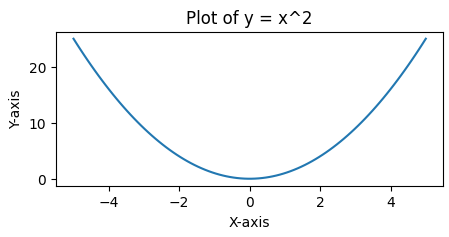
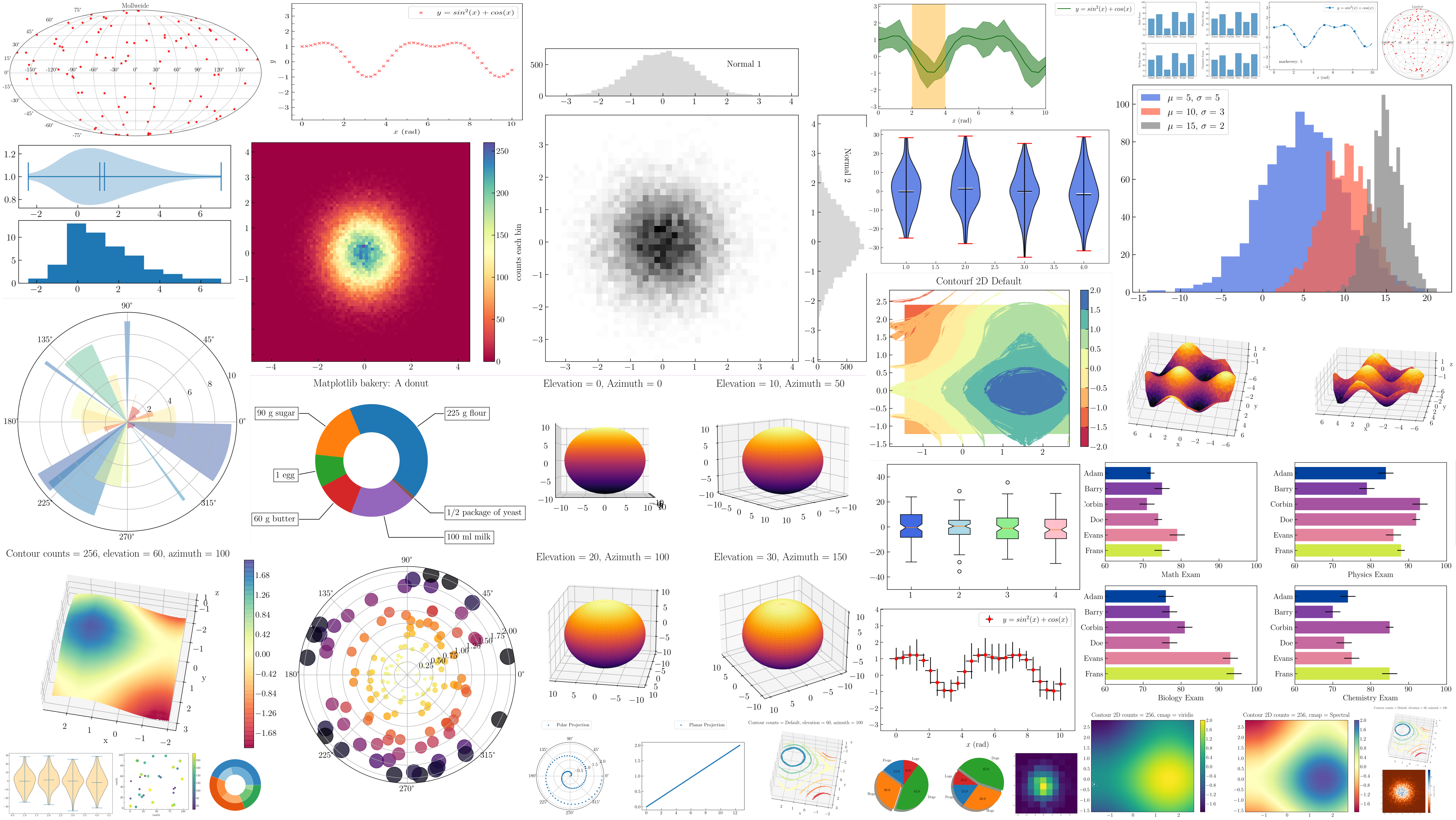
A plotting library for static, animated, and interactive visualizations in Python.
📈 Line, bar, scatter, histograms, heatmaps…
🎨 Object-oriented API for embedding plots in apps
📂 Foundation many other libs build on (seaborn, pandas plotting)
If you've ever seen a Python chart in a paper, blog, or notebook — it's almost certainly matplotlib.
numpy is the fundamental package for scientific computing in Python.
⚡ Fast operations on N-dimensional arrays
🔢 Linear algebra, FFT, random simulation
📊 Statistics, sorting, shape manipulation
🧰 Built on optimized C — much faster than Python lists
import numpy as np
x = np.arange (15 ).reshape (3 , 5 )
x[1 :, ::2 ] = -99
# [[ 0 1 2 3 4]
# [-99 6 -99 8 -99]
# [-99 11 -99 13 -99]]
x.max (axis=1 )
# array([ 4, 8, 13])
# vectorized math — one operation, every element
prices = np.array ([10 , 20 , 30 , 40 ])
prices * 1.21 # add 21% VAT to every price
# array([12.1, 24.2, 36.3, 48.4])
# stats over a whole array, no for-loop
grades = np.array ([72 , 85 , 49 , 91 , 60 ])
grades.mean () # 71.4
(grades >= 50 ).sum () # 4 students passed
Makes HTTP & HTTPS requests a breeze. Functions for interacting with web APIs and managing responses.
📧 GET, POST, PUT, DELETE — one-liners
📝 Handles JSON, headers, sessions, cookies
🔒 Auth, redirects, SSL — sensible defaults
import requests
url = "https://api.github.com/users/torvalds"
response = requests.get (url)
if response.status_code == 200 :
data = response.json ()
print (f"Name: {data['name' ]}" )
print (f"Followers: {data['followers' ]}" )
else :
print (f"Failed: {response.status_code}" )
A standard library module — no install needed. Handles dates, times, durations, time zones.
📅 date, time, datetime
⏱️ timedelta for arithmetic on times
🌐 timezone — never store naive UTC times!
Tip: timezone-aware datetime + UTC storage saves you from real bugs at 03:00 on DST night.
from datetime import datetime , date , time , timezone
date1 = date (2026 , 5 , 7 )
time1 = time (14 , 30 )
# Always use timezone-aware datetimes!
dt = datetime (2026 , 5 , 7 , 14 , 30 , tzinfo=timezone .utc)
now = datetime .now (timezone .utc)
delta = now - dt
print (f"Date: {date1}" )
print (f"Now (UTC): {now}" )
print (f"Delta: {delta}" )
stdlib
unittest
Built into Python — no install
Test discovery, fixtures, suites
JUnit-style: class + setUp
class TestMath (unittest.TestCase ):
def test_add (self ):
self .assertEqual (1 +1 , 2 )
pip install
pytest
Concise — just plain functions
Powerful fixtures & parametrization
Plugins galore (pytest-cov, pytest-mock)
def test_add ():
assert 1 + 1 == 2
✅ Most modern Python projects use pytest — less ceremony, better output, huge ecosystem.
Spotlight
pandas
A superpower for working with tables of data .
Excel, supercharged. With code.
🔗 pandas.pydata.org
What can pandas do?
📁 Read & Write — CSV, Excel, SQL, JSON, Parquet, HDF5
🔎 Explore — peek, summary, describe()
🧹 Clean — missing values, duplicates, types
🔨 Manipulate — filter, group, merge, pivot
📊 Analyze — statistics, time series, rolling windows
🎨 Visualize — integrates with matplotlib & seaborn
Plays well with the rest of the ecosystem — numpy under the hood, scikit-learn for ML, matplotlib for plots.
pandas — the example datasetA CSV is just plain text — values separated by commas. Here's cars.csv :
Make,Model,Year,Color,Mileage,Price
Toyota,Corolla,2020,Black,45000,15500
Honda,Civic,2018,Red,62000,13200
Toyota,RAV4,2022,White,21000,26800
Ford,Focus,2019,Black,78000,9900
Honda,Accord,2021,Black,32000,22100
Ford,Mustang,2023,Red,8500,41700
📝 First line = column names. Each row below = one record. pd.read_csv() turns this into a DataFrame — a table with named columns and types.
Example 1 — Load & Inspect
import pandas as pd
df_cars = pd.read_csv ("cars.csv" )
print (df_cars)
    Make    Model  Year  Color  Mileage  Price
0  Toyota  Corolla  2020  Black    45000  15500
1   Honda    Civic  2018    Red    62000  13200
2  Toyota     RAV4  2022  White    21000  26800
3    Ford    Focus  2019  Black    78000   9900
4   Honda   Accord  2021  Black    32000  22100
5    Ford  Mustang  2023    Red     8500  41700
🔎 Useful next steps: df.head(), df.info(), df.describe().
Example 2 — Filter rows
Find black cars from 2020 onwards :
import pandas as pd
df_cars = pd.read_csv ("cars.csv" )
mask = (df_cars["Color" ] == "Black" ) & (df_cars["Year" ] >= 2020 )
black_2020 = df_cars[mask]
print (black_2020)
    Make    Model  Year  Color  Mileage  Price
0  Toyota  Corolla  2020  Black    45000  15500
4   Honda   Accord  2021  Black    32000  22100
💡 Boolean indexing is vectorized — no Python loops, fast on millions of rows.
Example 3 — Group & aggregate
Average mileage and price per make :
avg = (df_cars
.groupby ("Make" )
.agg ({"Mileage" : "mean" , "Price" : "mean" })
.rename (columns={
"Mileage" : "Avg Mileage" ,
"Price" : "Avg Price" ,
}))
print (avg)
         Avg Mileage   Avg Price
Make
Ford         43250.0     25800.0
Honda        47000.0     17650.0
Toyota       33000.0     21150.0
📊 groupby().agg() is the SQL-ish workhorse of pandas. Built-in aggregations: mean, sum, min, max, count, std…
Example 4 — Counts & newest car
How many cars per color?
color_counts = df_cars["Color" ].value_counts ()
print (color_counts)
# Black 3
# Red 2
# White 1
Newest car per make:
newest = (df_cars
.sort_values ("Year" , ascending=False )
.groupby ("Make" , as_index=False )
.first ())
print (newest[["Make" , "Model" , "Year" ]])
# Ford Mustang 2023
# Honda Accord 2021
# Toyota RAV4 2022
Example 5 — Compute & save
Calculate depreciation (10% per year) — add a new column:
YEAR_NOW = 2026
df_cars["Depreciation" ] = (
df_cars["Price" ] * 0.1 * (YEAR_NOW - df_cars["Year" ])
)
print (df_cars[["Make" , "Model" , "Year" , "Price" , "Depreciation" ]])
Write the updated table to a new CSV:
df_cars.to_csv ("updated_cars.csv" , index=False )
💡 Vectorized arithmetic on whole columns — no for loop. That's the pandas way.
pandas — why it matters
⚡
Efficiency
Complex transformations in a few lines — saves hours.
🧩
Versatility
Data scientist, analyst, ETL engineer — one tool for all.
🔌
Integration
numpy · matplotlib · scikit-learn · sqlalchemy.
Section 2
Frameworks
"A skeleton you fill in — the recipe you follow."
What is a Framework ?
A framework provides the foundational structure for developing software.
🧱 A skeleton — you add your code to it
🏃️ Rapid development via predefined structures
📑 Standardizes the development process
🏭 Dictates the architecture of your application
A library offers functionality. A framework imposes a structure.
Framework's structure
URL Routing
Models / ORM
YOUR business logic
Templates / Views
you fill in the gap
Real-world: Kitchen vs. Recipe
🍳
Library = Kitchen tools
Spatulas, knives, measuring cups
You pick the right tool for the task
The tools don't tell you what to cook
You're in full control
📖
Framework = Recipe book
Specifies ingredients & steps
You can tweak details, not the structure
The recipe guides the outcome
The recipe is in charge
Same kitchen, different kind of help.
The Hollywood Principle
"Don't call us — we'll call you. "
a.k.a. Inversion of Control (IoC)
Inversion of Control
Library
Your code calls library code
# your_app.py
import requests
def main ():
r = requests.get (URL)
Database .save (r.json())
main () # YOU run the show 👉 You decide when and which functions to call.
Framework
Framework code calls your code
# views.py (Django)
def book_list (request):
return render (...)
# Django runs the loop —
# calls book_list when needed 👉 You write the parts , the framework runs them.
Library vs. Framework
Library Framework
Control flow You call it
It calls you
Scope Specific operations
Full app architecture
Complexity Smaller, focused
Larger, opinionated
Replaceability Swap easily
Hard to migrate away
Examples numpy, requests, pandas
Django, Flask, FastAPI
Components of a Framework
📊
ORM
Map Python objects to database tables — SQL without writing SQL.
User.objects.filter(...)
🔗
Routing
URL patterns → functions. Defines what runs for each request.
/books/<id> → book_view
🎨
Templates
Render data into HTML, JSON, emails — with placeholders & loops.
{{ user.name }}
✅ Plus: auth, sessions, admin, forms, migrations, testing utilities… batteries included .
Architecture: MVC / MVT
Model
data & rules
Book, User, Order
View
orchestration
book_list(request)
Template
presentation
books.html
Request flow
request → URL routing → View → Model (DB) → Template → HTML response
Django calls this MVT — same idea as classic MVC.
Spotlight
A high-level web framework for perfectionists with deadlines .
Concept → production, fast.
🔗 docs.djangoproject.com
Django — key features
🔌
Batteries included
Auth, sessions, admin, content management, sitemaps, RSS — out of the box.
🧑💻
Auto admin
A full admin UI generated from your models. Manage data with zero extra code.
🔒
Security
Defends against SQL injection, XSS, CSRF, clickjacking by default.
📚
Top-tier docs
Comprehensive, regularly updated, beginner-friendly — one of the best in open source.
👥
Vibrant community
Thousands of plugins (django-rest-framework, channels, allauth…).
⚡
Fast to build
From idea to running app in minutes , not days.
Django — bootstrap a project
Three commands — you have a running web app:
$ pip install django

$ django-admin startproject mysite

$ cd mysite
$ python manage.py startapp blog

$ python manage.py runserver
# Starting development server at http://127.0.0.1:8000/
Project structure that gets generated:
mysite/
├── manage.py            # CLI entrypoint
├── mysite/
│   ├── settings.py      # config
│   ├── urls.py          # URL routing
│   └── wsgi.py          # server hook
└── blog/
    ├── models.py        # <-- you
    ├── views.py         # <-- you
    └── templates/       # <-- you
Django — Models (the M)
Define your data as Python classes — Django writes the SQL:
# blog/models.py
from django.db import models
class Author (models.Model ):
name = models.CharField (max_length=100 )
class Book (models.Model ):
title = models.CharField (max_length=200 )
author = models.ForeignKey (Author , on_delete=models.CASCADE )
published = models.DateField ()
Migrations & queries — SQL without writing SQL:
$ python manage.py makemigrations
$ python manage.py migrate
# In Python:
recent = Book .objects.filter (published__year=2026 )
for book in recent:
print (book.title, "—" , book.author.name)
Django — URLs & Views
urls.py — map URLs to view functions:
from django.urls import path
from .views import book_list, book_detail
urlpatterns = [
path ("" , book_list, name="book-list" ),
path ("<int:book_id>/" , book_detail, name="book-detail" ),
]
# mounted at /books/ in the project urls.py
views.py — business logic for each URL:
from django.shortcuts import render
from .models import Book
def book_list (request):
books = Book .objects.all ()
return render (request, "books.html" , {"books" : books})👉 Note: Django calls book_list(request). You never invoke it — that's IoC .
Django — Templates (the T)
templates/books.html — HTML with placeholders:
<!DOCTYPE html>
<html>
<head><title>Book List</title></head>
<body>
  <h1>Books</h1>
  <ul>
    {% for book in books %}
      <li>{{ book.title }} — {{ book.author.name }}</li>
    {% empty %}
      <li>No books yet.</li>
    {% endfor %}
  </ul>
</body>
</html>
📚 {{ … }} renders a value. {% … %} runs logic (loops, conditions). HTML is auto-escaped — XSS protection by default.
Flask — tiny by design
🧮 Microframework — minimal core, no required components
🧨 Doesn't require a particular ORM, template engine, or auth system
🚀 Easy to get started — "Hello World" in 7 lines
🔨 You assemble your own stack — SQLAlchemy (ORM), Jinja2 (templates), Marshmallow (serialization)
Where Django says "we packed everything ", Flask says "here's a router; bring your own everything ".
from flask import Flask
app = Flask (__name__)
@app.route ("/" )
def home ():
return "Hello, world!"
@app.route ("/books/<int:book_id>" )
def book (book_id):
return f"Book {book_id}"
if __name__ == "__main__" :
app.run ()
⚡ Async-first — built on Starlette & ASGI
🧾 Type hints drive everything — validation, docs, serialization
📝 Auto-generated OpenAPI / Swagger docs — no extra setup
🧮 Powered by pydantic — type-safe data models with runtime validation
Sweet spot for APIs and microservices . Used by Uber, Netflix, Microsoft for production services.
from fastapi import FastAPI
from pydantic import BaseModel
class Book (BaseModel ):
title: str
pages: int
app = FastAPI ()
@app.post ("/books" )
async def create (book: Book ):
return {"id" : 1 , **book.dict ()}
# pydantic validates body automatically
# /docs gets you Swagger UI for free
Django vs. Flask vs. FastAPI
Django Flask FastAPI
Philosophy Batteries included Bring your own batteries Type-hint driven, async-first Size Large — full-featured Tiny core, plugins on top Lean — built on Starlette + pydantic ORM Built-in (Django ORM) None — pick SQLAlchemy None — SQLAlchemy or SQLModel Admin UI Auto-generated, free None — build it yourself None — auto Swagger/OpenAPI docs Best for CMS, complex apps, fast MVPs Small services, prototypes APIs, microservices, async Learning curve Steeper at first Easy — harder later Easy if you know type hints
💡 Also worth knowing: Streamlit — data dashboards in pure Python.
Section 3
"Python doesn't scale. "
— somebody on the internet, probably
The Myths
❌ "Python doesn't scale to millions of API requests."
❌ "Python isn't concurrent / multi-threaded."
❌ "No serious company uses Python at scale — only Java or Go."
Let's look at the receipts.
Python & Django
📅 Started on Django in 2010 — 2 weeks to launch, 5M users by summer 2011
📊 By 2016 (last published engineering numbers) : 95M photos & videos uploaded daily, 4.2B likes /day
🌟 Today : 2B+ monthly users , billions of Reels plays/day
🚀 Tens of thousands of Django servers , globally distributed, fault-tolerant
🔥 Still a monolithic Django codebase at its core
"Python doesn't scale" said no Instagram engineer ever.
2B+ users
95M uploads / day '16
4.2B likes / day '16
PostgreSQL + Django ORM
Spotify & YouTube
Spotify
Heavy Python in data pipelines , recommendations , and ML training .
The streaming backend is Java — but the brains behind Discover Weekly are Python.
YouTube
Originally written in Python (2005, on mod_python).
Today: Python still drives many internal tools, data pipelines, and ML systems alongside C++/Java for the core video path.
Google & Netflix
Google
Python since the early days — web search internals, system administration, build tools.
3.5B+ searches/day rely on infrastructure that includes Python.
Netflix
Server-side data analysis , security automation, risk classification, alerting.
Billions of streamed hours/month — Python in pipelines & ops.
Python in Space
NASA uses Python for:
📊 Data analysis & scientific computing
🧰 Simulations and computational modeling
🔗 System integration & automation
🛡️ Mission-critical software in Mars Rover navigation
🔥 ARES Division — Atmospheric Reentry Engineering Simulation
If Python is reliable enough for landing on Mars , it is probably reliable enough for your CRUD app.
🛰
From Mars rovers
How to choose
📚
Pick a library
when you need a specific capability : charts, HTTP, dates, dataframes.
🏭
Pick a framework
when you need structure for an entire application: web app, REST API, ML pipeline.
🔥
Combine them
A real app uses both: Django + pandas + requests is a normal day.
💡 Don't pick a framework on day 1 of an idea. Start with a library; reach for a framework when the structure starts repeating.
Frameworks — Pros & Cons
✅ Pros
Speed — ship features in days, not weeksConvention over configuration — less bikesheddingSecurity defaults — XSS, CSRF, SQL injectionEcosystem — plugins for everythingHire-friendly — new devs onboard fast
❌ Cons
Lock-in — migrating away is painfulMagic — "how did that route get registered?"Opinionated — you bend to its conventionsHeavy for small projectsLearning curve — multiple concepts at once
Key Takeaways
📚 Library — you call its code (a toolbox)
🏭 Framework — it calls your code (a skeleton)
😎 The Hollywood principle: "Don't call us, we'll call you "
📊 Python's libraries cover almost any domain — numpy, pandas, requests, matplotlib, datetime, pytest…
🌏 Django = batteries-included; Flask = minimalist; FastAPI = modern async
🚀 Python does scale — ask Instagram, Netflix, Google, NASA
🧰 Choose libraries for capabilities, frameworks for structure — combine freely
Next up: Lecture 12 — Recap & Exam Consultation . We'll review the whole semester and prepare for the exam.
Skip Quiz ▶
☼
‹
›



 Instagram — Python & Django



 NASA — Python in Space